The Weather Network
- 4.2
- Rating
- 10.00M
- Installs
- Free
- Price

 Analysis by App-foxy
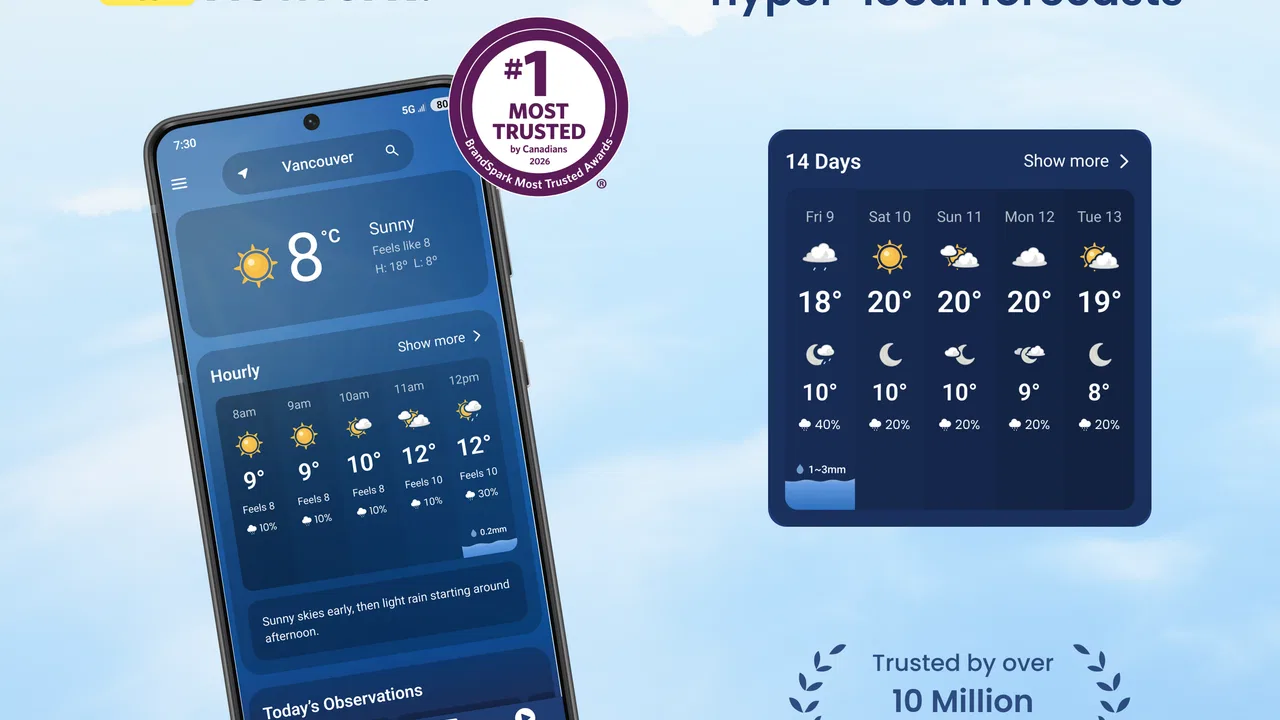
When I need to decide whether to carry an umbrella, delay a bike ride, or check if a storm is moving toward my area, I want more than a single temperature number. I want a quick local reading, a useful look ahead, and a way to judge whether changing conditions are likely to affect my plans. That is the role The Weather Network tries to fill. It is a free weather app from The Weather Network & MétéoMédia, built around forecasts, alerts, radar maps, weather news, video, and home-screen widgets.
My overall impression is that it works best as a practical daily weather companion rather than as a specialist forecasting tool. The app is easy to understand when I open it with a simple question, such as “Will it rain during my commute?” It becomes more useful when I move from the current conditions to radar and alerts, because those parts help turn a forecast into a decision. At the same time, the amount of information can feel heavier than necessary if I only want a fast glance.
From a quick weather check to a real plan
I find the most useful weather check is one that ends in a practical choice, not another minute spent scrolling. In the next section, I focus on how I turn a glance at local conditions into a plan for the day, including when a widget is enough and when I’d open the forecast or radar for more context.
You May Also Like

 Blood Strike: 2.5 Anniversary
Blood Strike’s Loadouts Turn Every Drop Into a Tactical Gamble
A close look at Blood Strike’s custom loadouts: how fast access to signature weapons reshapes its battle royale rhythm, rewards preparation, and narrows the gap between fights.

 Pandora - Music & Podcasts
Pandora’s Music Is Easy to Start, but Harder to Recover
Pandora’s strength is its low-effort path from a seed to a station. Its weak spot is how much confidence it asks you to place in connection, setup, and quiet recovery.

 8 Ball Pool
 Is Built on Rivalries, Rematches, and Routine
A close look at the rivalries, rematches, shared routines, and unanswered safety questions that turn a quick pool match into a persistent mobile community.

 Samsung Music
’s Quiet Strength Is Playing What You Already Own
Its reach comes less from spectacle than from dependable access to a personal library. That simplicity is both the app’s strongest retention engine and its ceiling.

 AccuWeather: Weather Radar
AccuWeather Review: A Quick, Clear Forecast for Everyday Decisions
For everyday plans, the best forecast is the one you can understand quickly. AccuWeather makes rain timing, radar, and local conditions easy to act on, with a few trade-offs.

 Hill Climb Racing
Why Hill Climb Racing Still Turns Crashes Into One More Run
A tiny car, a bumpy hill and one more upgrade: Hill Climb Racing keeps resurfacing because its simple chaos makes every near-miss feel personal.
More From Our News Desk
View All News


Starting with the situation that matters
The most useful way to approach this app is to begin with a real need instead of browsing every screen. If I am leaving home soon, I first look at the current conditions and the near-term forecast. That gives me the immediate answer: whether I should dress for cold, prepare for rain, or expect a comfortable trip. If I am planning several hours ahead, I move to the broader forecast rather than relying only on what is happening outside at that moment.
This distinction matters because current weather and upcoming weather answer different questions. A bright morning does not necessarily mean a dry afternoon, and a brief shower does not automatically mean the whole day is a washout. The app is more helpful when I treat its screens as stages in a decision rather than as competing numbers. I use the first view to establish the present situation, then check the forecast to see whether my plan needs adjustment.
The Weather Network has a broad audience in mind. Its content rating is Everyone, and the app supports devices running Android 7.0 or later. That makes it a reasonable choice for a shared household where different people may need the same basic weather information without learning a complicated interface. I would still give children a little guidance about interpreting severe-weather messages, but the everyday presentation is approachable.
A practical morning workflow
A realistic example is a weekday morning when I have to walk to transit, work indoors for several hours, and return later in the day. I begin by checking the local conditions before getting dressed. Then I compare the expected weather around the time I leave with the conditions expected near the return trip. This small habit is more useful than checking only the temperature, because precipitation and changing conditions can affect footwear, outer layers, and whether carrying an umbrella is worthwhile.
Next, I use the radar map when rain is already nearby or the sky looks uncertain. Radar is valuable here because it adds movement and location to the forecast. Instead of asking only whether rain is predicted, I can think about whether a band of precipitation appears to be approaching, passing over, or moving away from my area. That does not remove uncertainty, but it gives me a better basis for deciding whether to leave immediately or wait a little.
One non-obvious advantage is the handoff between forecast and radar. Many weather apps make users choose one or the other, but the useful workflow is to use the forecast for the day’s shape and radar for the next practical decision. I would not use radar to replace the forecast for tomorrow, and I would not use a daily icon to judge whether rain will reach me during the next short trip. Each view has a different job.
Using alerts without letting them take over
Storm alerts are another important part of the workflow. They are most useful when I am busy and cannot keep opening the app to monitor conditions. An alert can prompt me to check the details, reconsider outdoor plans, or make sure other people in the household know that conditions may change. The alert itself is not the final answer; I still want to read the local context and decide what action makes sense.
This is where I see a clear trade-off. Weather alerts can be valuable because they reduce the need for constant checking, but they can also interrupt a routine if I enable more notifications than I actually need. I would set them up with a specific purpose, such as staying aware of serious weather near home, rather than treating every update as urgent. The best result comes from using alerts as an early signal and radar or forecast details as the follow-up.
For someone who travels between several places, the app is also more useful when each location is handled deliberately. I would check the place that affects the next decision instead of assuming that conditions at home represent the weather across an entire region. This is especially important for commuters, students, delivery workers, and anyone whose day crosses different neighborhoods or nearby towns.
The handoff from phone to home screen
Widgets are designed for a different moment: the quick glance before I open the full app. A widget can save time when I repeatedly need the weather during the day, especially before leaving home or during a work break. I see it as the first step in the workflow, not a replacement for detailed information. If the widget suggests changing conditions, I can open the app and inspect the forecast, radar, or alert information before making a more important decision.
This creates a useful handoff between passive and active checking. The widget keeps weather visible, while the main app provides the context behind it. That arrangement is practical for people who check conditions several times daily, but it may feel unnecessary for someone who only looks at the forecast once each morning. In that case, the widget can add visual clutter without changing the decision.
I also think the widget is most valuable when it supports a routine rather than becoming background decoration. For example, I might glance at it while preparing breakfast, then open the app only if rain or a storm could affect my route. That keeps the interaction efficient and avoids scrolling through weather information that does not change what I plan to do.
News and video as a second layer
The app includes weather news and video, which gives it a broader editorial role than a simple forecast screen. I find this useful when a weather event is developing and I want explanation alongside the map and numbers. A short report can help put a regional situation into context, especially when the practical question is not just “What is the forecast?” but “Why is the weather changing, and how seriously should I take it?”
However, I would not make news or video the first stop for a routine weather check. They take more attention than a glance at the forecast, and they are not necessary when I only need to know whether to bring a jacket. My preferred order is forecast first, radar or alerts when conditions require it, and news or video when I need broader context.
This separation makes the app easier to use. The forecast handles immediate planning, the radar helps with timing and movement, alerts provide a prompt when conditions may become important, and editorial content adds explanation. The app has more depth than a basic weather widget, but I get the best results when I choose the layer that matches the question.
What happens after the forecast?
The final outcome is not a weather screen; it is a decision. I may leave earlier, pack a rain layer, change an outdoor appointment, or decide that no adjustment is needed. The Weather Network is strongest when it helps me complete that chain quickly. Its combination of local forecasts, radar, alerts, widgets, and explanatory content gives me several ways to move from observation to action.
For a family, the handoff can happen between people. One person checks the morning forecast, another notices an alert, and someone else uses the radar before driving home. The app does not need to be treated as a shared command center for this to work. Its value is that each person can access the same general weather picture and make a decision suited to their own route.
For outdoor plans, I would use a more cautious workflow. I might check the forecast while choosing the day, inspect radar shortly before leaving, and keep an eye on alerts if storms are possible. That is more reliable than checking a single forecast many hours in advance and assuming it will remain unchanged. The app supports this repeated-check approach well because the information is organized around different time horizons.
Where the flow breaks down
The main friction is information density. Someone opening the app for one answer may encounter forecasts, maps, video, news, widgets, and alerts competing for attention. I appreciate having those tools available, but I do not always want the full weather experience. A simpler app can be better when my only concern is the current temperature or the chance of rain later today.
Another limitation is that radar requires interpretation. A moving precipitation pattern can be more informative than a static weather icon, but it is not automatically precise enough to promise that a particular street will stay dry. I use it as a planning aid, not as a guarantee. People who want highly technical atmospheric information may find this app less focused than a specialist weather service.
Alerts also require judgment. They can make the app feel proactive, but an alert does not tell me exactly how my own plans should change. I still need to read the message, consider my location, and decide whether the risk affects my route or activity. Users who prefer a completely quiet phone may find the notification side of the experience more intrusive than a basic forecast app.
The free model is friendly for casual use, but in-app purchases are available, with individual items ranging from $1.49 to $6.99. That means I would review any upgrade prompt carefully and decide whether the additional value matches how often I use the app. For ordinary weather checks, the free starting point makes it easy to try. For someone who dislikes optional purchases or promotional interruptions in apps, that commercial layer may be a reason to choose a more minimal alternative.
Performance expectations also depend on the device. The current version is 7.18.1.11474, and support for Android 7.0 or later gives the app a relatively broad compatibility range. Still, on an older phone, a feature-rich weather app may feel less immediate than a lightweight forecast tool. I would not judge it only by the number of features; the important question is whether the app opens quickly enough for the way I actually check weather.
Who should use it, and who should look elsewhere?
I would recommend The Weather Network to people who want one place for local forecasts, storm awareness, radar, and weather-related reporting. It is particularly suitable for commuters, families, travelers who monitor changing conditions, and anyone who wants a widget for quick checks but still values deeper information when the weather becomes uncertain. Its broad reach is reflected in an average rating of 4.3 from around 305 thousand ratings, while more than 10 million installs show that it is already a familiar option for many Android users.
I would be more cautious about recommending it to someone who wants an extremely stripped-down experience. If a single temperature reading and a basic daily outlook are enough, a simpler weather app may be faster and less distracting. I would also suggest comparing specialist alternatives if the main purpose is technical meteorological analysis, highly detailed outdoor planning, or a very specific type of local observation. The Weather Network is broad and practical, but breadth is not the same as specialization.
Its best use is as a layered tool. I can glance at a widget, confirm the forecast, inspect radar when timing matters, and read an alert or video report when a larger weather event develops. That workflow is more valuable than any individual feature because it connects a quick observation to a sensible action.
My final assessment after using the full workflow
The Weather Network earns its place as a dependable general-purpose weather app because it covers the complete path from “What is happening now?” to “What should I do next?” I like that I can start with a local forecast, move to radar for short-term timing, use alerts as a prompt, and turn to news or video when I need explanation. The widgets make repeated checks convenient, while the free price makes trying the app straightforward.
It is not perfect. The broader feature set can make simple tasks feel busier, radar still demands sensible interpretation, and optional purchases may not appeal to everyone. Those are real limitations, not reasons to dismiss the app. They simply mean I would use it intentionally instead of opening every section by default.
For my everyday routine, the deciding strength is the handoff between information and action. I can check conditions before leaving, verify an approaching shower, notice a storm alert, and adjust my plans without switching between several weather tools. If you want that kind of flexible weather workflow, I think this app is worth installing. If you want only the smallest possible forecast display, I would choose a simpler alternative instead.
FAQs for The Weather Network
01What features does The Weather Network app offer?
The Weather Network app provides a comprehensive suite of features, including real-time weather updates, detailed forecasts, radar maps, and severe weather alerts. Users can also access video clips, news articles, and customizable notifications. The app supports multiple locations, allowing you to stay informed about weather conditions both locally and globally.
02Is The Weather Network app free to use?
Yes, The Weather Network app is free to download and use on both Android and iOS devices. However, it may offer in-app purchases or subscriptions for additional features, such as ad-free browsing or enhanced forecast details. It's advisable to review these options within the app to understand any potential costs.
03How accurate are the weather forecasts provided by The Weather Network app?
The Weather Network app is known for its reliability and accuracy, drawing data from multiple sources to deliver precise forecasts. While no weather app can guarantee 100% accuracy, The Weather Network employs advanced meteorological models and expert analysis to ensure users receive timely and accurate weather information.
04Does The Weather Network app require an internet connection?
Yes, The Weather Network app requires an internet connection to download the latest weather data and updates. While some information may be cached for offline use, a stable connection ensures access to the most current forecasts, radar images, and weather alerts, enhancing the app's functionality and reliability.
05Can I customize notifications in The Weather Network app?
Absolutely. The Weather Network app allows users to customize notifications based on their preferences. You can set alerts for severe weather, daily forecasts, and specific conditions like rain or snow. These customizable notifications help users stay prepared and informed about weather changes that might impact their plans.
Pros
- Accurate local forecasts.
- Intuitive user interface.
- Real-time weather updates.
- Customizable weather alerts.
- Detailed radar maps.
Cons
- Ads can be intrusive.
- Limited free features.
- Occasional loading delays.
- Some features require subscriptions.
- Battery usage can be high.

The Weather Network
Gallery